


- Rental period: From 1 September 2026 (Tue) to 17 July 2027 (Sat).
- Rental fee: Free of charge.
Step 1: Apply Online
- Login to the 🔗Locker System starting 1 September 2026 (Tue) at 10:00 AM.
- Lockers are assigned on a first-come, first-served basis.
Step 2: Choose & Confirm
- Select your preferred locker location and row.
- Carefully read the locker regulations and indicate your acceptance before submitting.
Step 3: Check Your Assignment
- After receiving the email titled "Locker Application Result", log in to the 🔗Locker System to view your assigned locker number.
Step 4: Submit Your Padlock
If your application is successful:
- Prepare your padlock.
- Submit it in person to the 📍Information Counter at P202, Podium (Entrance at Core P) within 7 days of receiving the confirmation email.
- Hand the padlock to the duty staff.
- A label with your locker number will be attached to your padlock.
Step 5: Locker Activation
- You may begin using your locker on the 6th working day after submitting your padlock.
- No further reminders will be issued.
Note: Saturdays are not counted as working days.
Example: If you submit your padlock on 2 September 2025, it will be placed in your locker on or before 9 September 2025, and you may begin using it from 10 September 2025.
Step 6: Deadline for Padlock Submission
- If you do not submit your padlock within 28 days of receiving the confirmation email, your locker will be released for other students.
- Full-time & Part-time students are eligible for applying for one locker, subject to availability.
- Students studying programmes offered by College of Professional & Continuing Education (CPCE) are not eligible to apply.
Students should inform CFSO through sending an email to ✉ Campus-locker.info@polyu.edu.hk or via 🔗 https://polyu.hk/TXhuU if you have vacated your lockers for returning to CFSO before 17 July 2027.
If your student status changes, please return your locker early under any of the following circumstances:
- Graduation or completion of study
- Termination of study
- Deferment of study
- Withdrawal of study
- Change of Academic Programme
Please clear your locker and remove your padlock within one month from the effective date of your status change.
Note: Please refer to the 🔗 Locker Regulations for more details.
Students should comply with regulations governing the use of lockers.
Lockers located inside buildings will be subject to the 📆 Opening Hours of the buildings as announced by The Campus Facilities and Sustainability Office (CFSO). In general, the opening hours of buildings are as follows (subject to change by CFSO):
Monday – Friday: 7.00am – 11.00pm
Saturday: 7.00am – 7.00pm
Sunday & Public holidays: Closed
1. What should I do if I forget my locker number?
You can check your assigned locker number and location by logging into the 🔗 Locker Rental System.
2. How can I identify the location of my locker?
Locker numbers follow this format: AB12345
- AB – Wing/Core/Block
- 1 – Floor number
- 2345 – Individual locker ID
3. What type of padlock should I use?
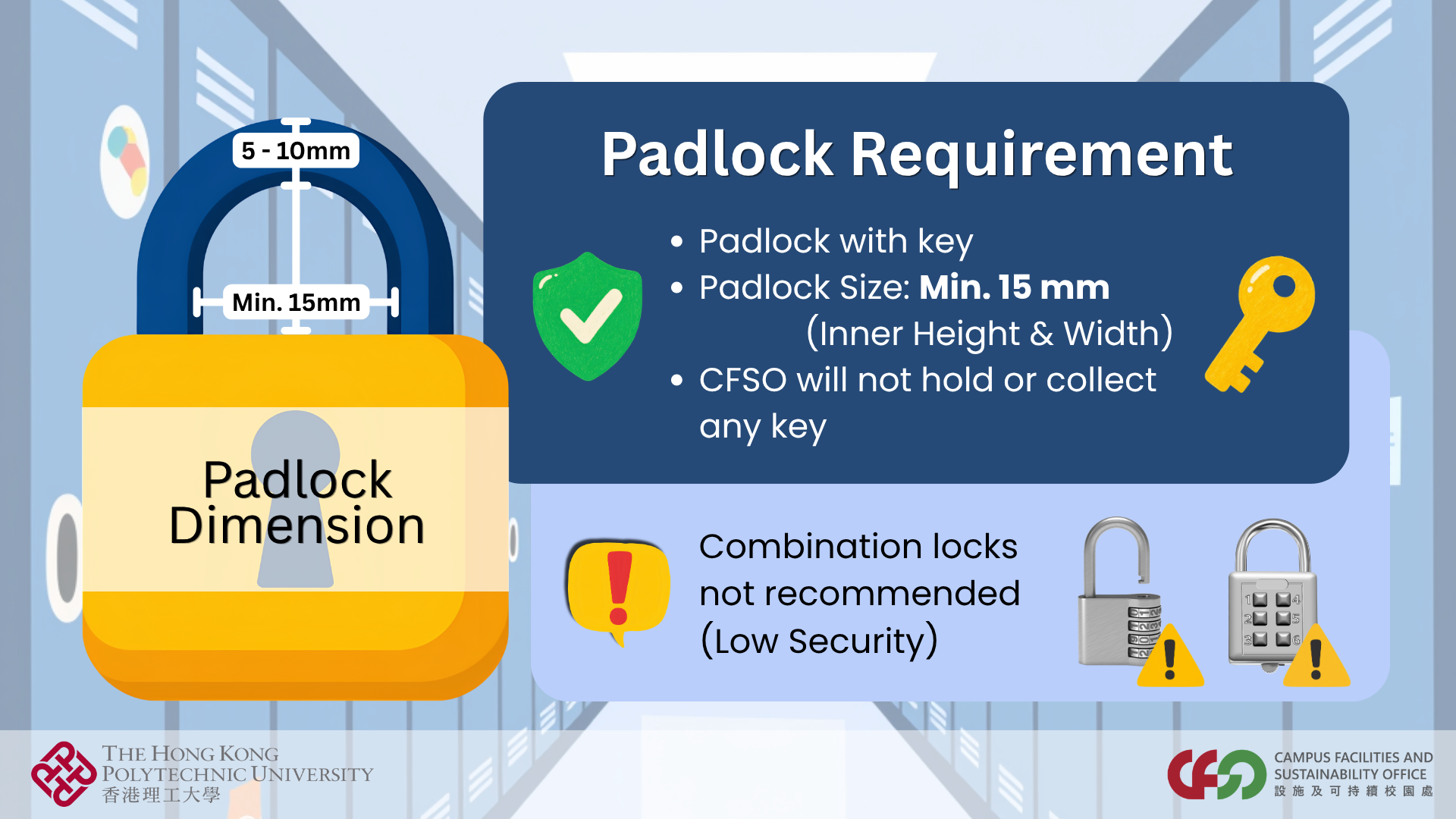
Please use a standard key padlock. Combination locks and other non-standard padlocks are strictly discouraged for security reasons.
4. Can I extend my locker rental period?
No, locker rental extensions are not available. All users must clear and vacate their lockers on or before the designated deadline.
5. What should I do if my locker is damaged?
Please visit the 📍Information Counter at P202, Podium Level (Entrance at Core P) in person for assistance. Our staff will help assess the issue and provide support.
6. What if I lose my locker key or my padlock malfunctions?
To apply for the padlock cutting service, please visit the 📍Information Counter at P202, Podium Level (Entrance at Core P) in person and:
- Bring a new replacement padlock with you
- Complete an application form at the counter
Note: The service will be completed within 3 working days after submitting your application and new padlock. No further reminders will be issued.
7. What should I do if someone else is using my assigned locker?
- Verify your locker details via the 🔗 Locker Rental System (Refer to Q1).
- If the locker is confirmed to be yours, please visit the 📍Information Counter at P202, Podium Level (Entrance at Core P) in person with your padlock and:
- Complete a Locker Clearance Application Form at the counter
- Our staff will follow up and assist you accordingly
