
Subject teachers and graders can leverage the AI Marking Assistant (AIMA) to assist with student assignment pre-grading and provide draft improvement feedback for each assignment submission.
AIMA is designed to support teachers and graders in identifying differences between student submissions and model answers, or in pre-grading student work according to specific rubric criteria. The goal is to help reduce repetitive work, improve consistency, and free up more time for teachers and graders to focus on final assessment and feedback comments.
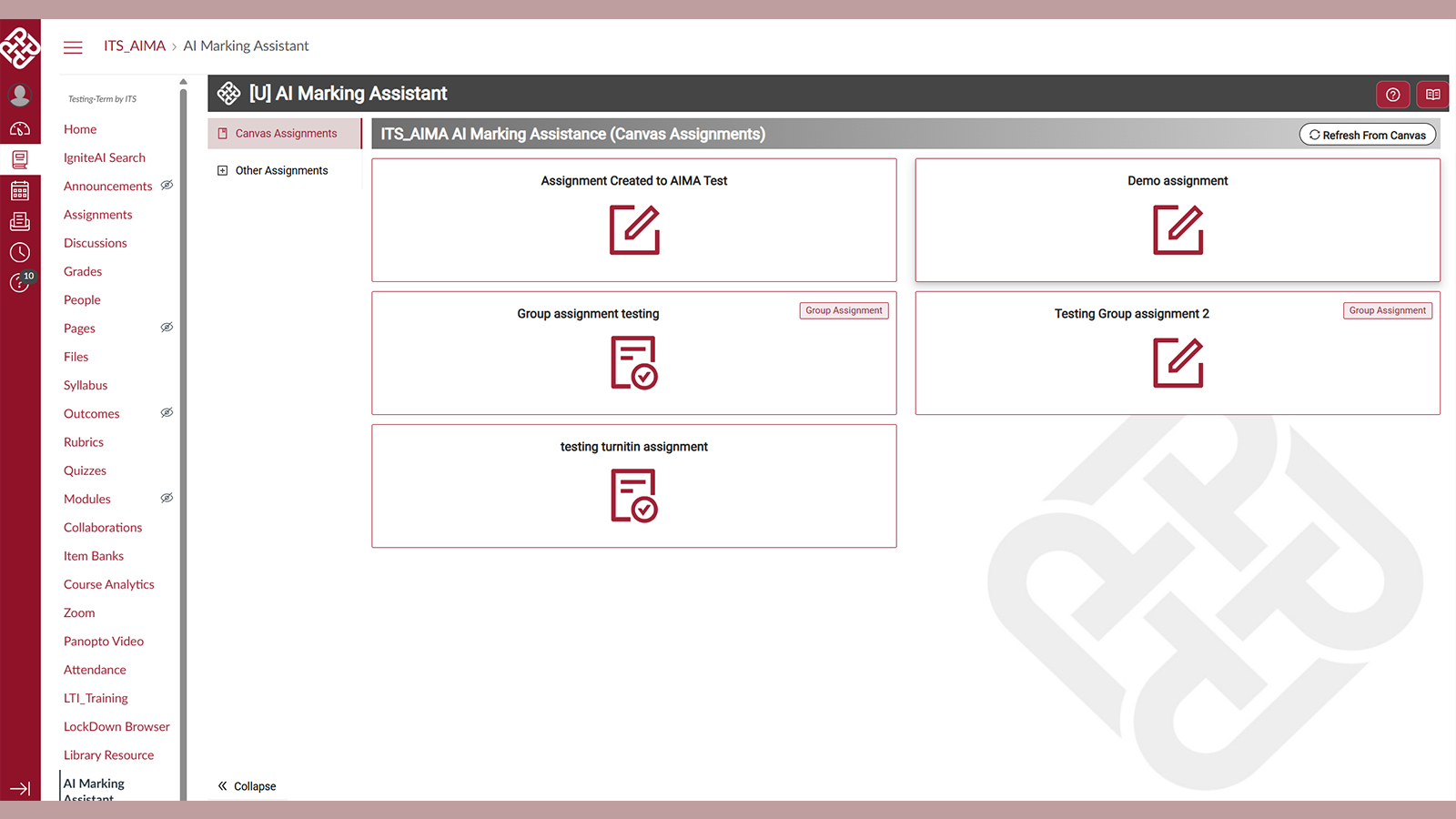
Full Integration with Canvas Assignments
For assignments submitted through Canvas, AIMA can help streamline the assessment process through direct integration with Canvas course assignment question, details, and marking criteria specified in the rubric. The AIMA model will propose a score for each marking criterion stated in the rubric, an overall score, and improvement comments for each student assignment submission to allow teacher review and approval. Once the teacher finalizes the scores and feedback comments, these will be synchronized back to the Canvas Gradebook.
For assignments with a teacher-provided model answer, AIMA will identify discrepancies between student submissions and the teacher’s model answer, and suggest point deductions.
Teacher and Grader Chat Function (Planned for Semester 1, 2026/27)
Teachers and graders can chat with AIMA to clarify assessment requirements, detailed rubrics, and grading criteria if pre-written details are not available. This chat function allows the AI model to keep teachers and graders in the loop and confirm assessment requirements before proceeding with sample grading or batch grading of all submissions.
AIMA was trialled across different subject disciplines in 2025/26, including:
- Essay or short-answer assignments
- Draft submissions for formative feedback
- Rubric-based coursework assessment (STEM subjects with model answers)
- Course assignments in large classes with multiple graders
- Assignments where teachers wish to provide improvement feedback to students in addition to grades
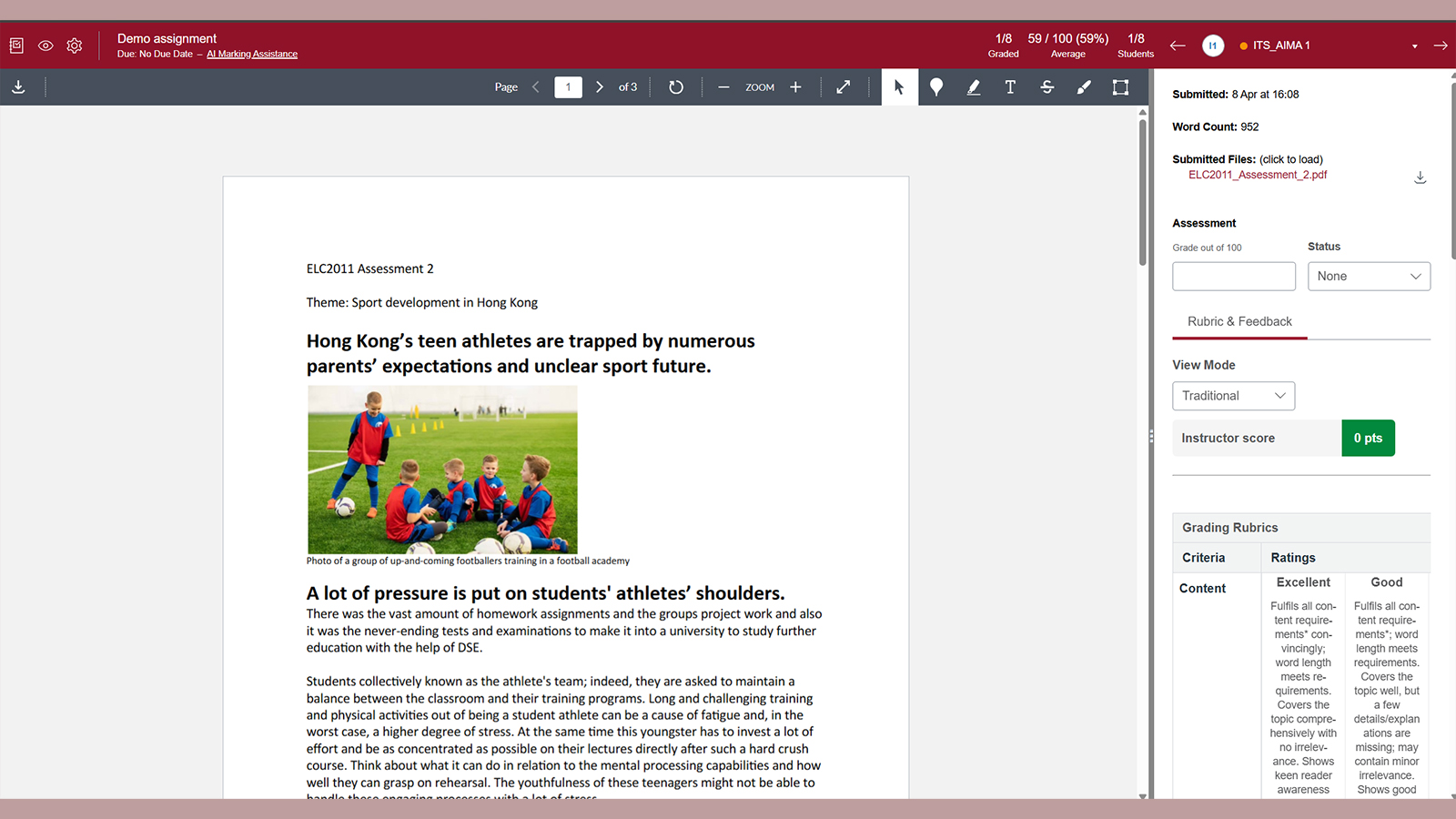
Staff are encouraged to visit the ITS intranet page for more information about AIMA (AI Marking Assistant for Canvas), including guidance on access, features and usage:
For support or enquiries, please contact the ITS HelpCentre (Tel: 2766 5900; WhatsApp/WeChat: 6577 9669) or email aima.admin@polyu.edu.hk.
